
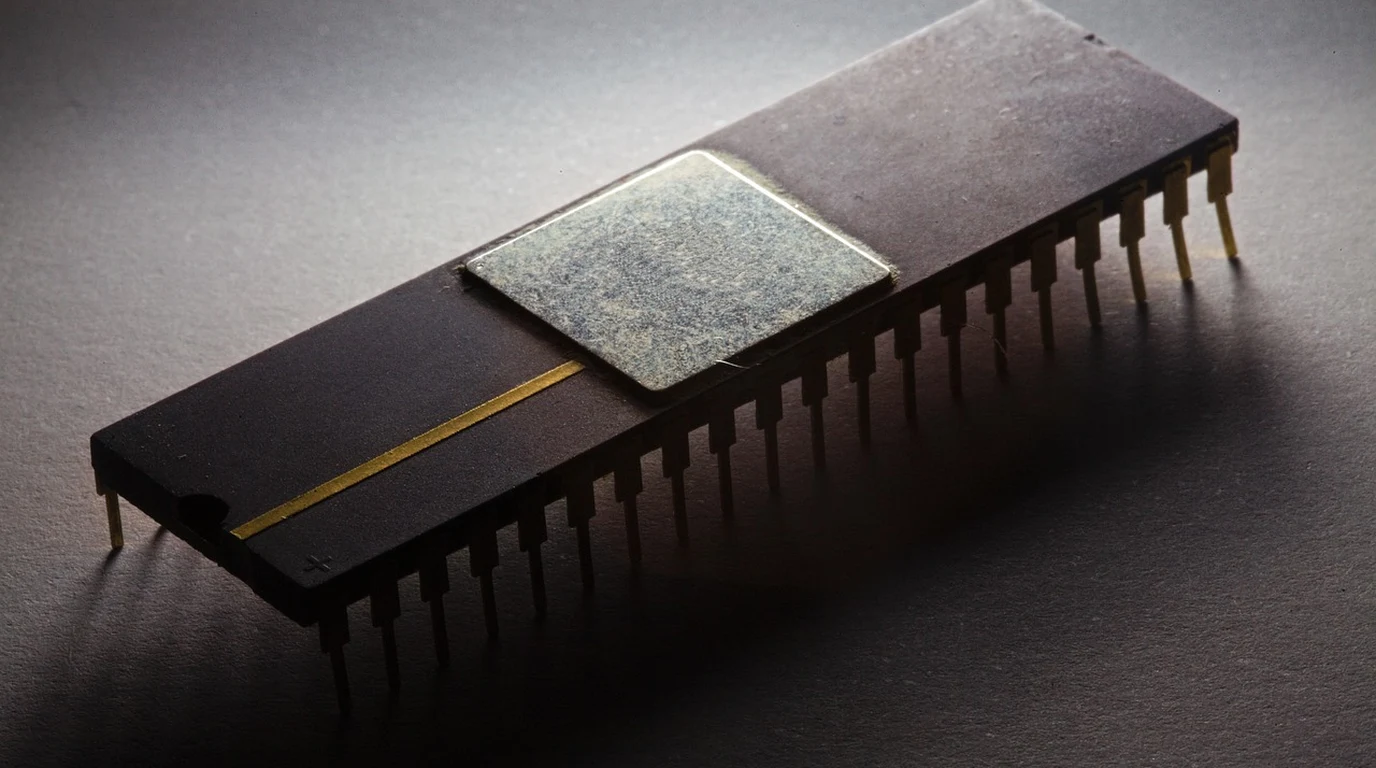
While the Google Coral Edge TPU (4 TOPS INT8, 2W) remains an economical choice for legacy MobileNet pipelines, the Hailo-8 (26 TOPS INT8, 2.5W) drastically outperforms it in modern multi-stream vision workloads. Hailo-8 handles multi-stream 4K60 and YOLOv8 natively without host CPU fallback traps, making it the definitive upgrade for low-power edge AI deployments.
Why Are Marketing TOPS Specifications Lying to Your Engineering Team?
In edge hardware design, Tera Operations Per Second (TOPS) is often treated as the ultimate headline metric. However, relying on peak TOPS to predict real-world vision performance is one of the most costly missteps an edge developer can make. Peak TOPS measures the maximum theoretical mathematical operations the MAC (Multiply-Accumulate) units can execute under ideal conditions—assuming zero memory latency, perfectly packed INT8 data structures, and 100% operation mapping. In practice, your edge model execution spend is dominated by data movement, not mathematical computation. If your matrix multiplication unit executes an operation in 2 nanoseconds but has to wait 30 nanoseconds for intermediate tensor weights to fetch from off-chip memory or host RAM over PCIe, your effective TOPS drops off a cliff. “` Google Coral Edge TPU (Systolic Array): [Host Memory] <--- High Bus Latency (PCIe/USB) ---> [On-Chip SRAM Buffer] —> [Rigid 2D MAC Grid] * Severe bottleneck when unsupported ops force tensors back to Host CPU. Hailo-8 (Structural Dataflow): [Input Stream] —> [Distributed Compute Element] —> [Distributed SRAM] —> [Distributed Compute] —> [Output Stream] * Model graph mapped spatially across localized memory; zero host round-trips. “` The Google Coral Edge TPU relies on a traditional, localized systolic array architecture. Data flows through a rigid grid of processing elements in locked steps. This design is exceptionally power-efficient for uniform 2D convolutions (such as those found in MobileNetV1 and MobileNetV2), but it scales poorly when handling arbitrary tensor shapes, dynamic branching, or custom layer topologies. When a modern network presents an operation the Edge TPU cannot natively map to its array, execution stalls, memory is flushed, and control passes back to the host system. The Hailo-8 utilizes a radical structural dataflow architecture. Instead of pushing data through a centralized compute array with fixed routing, the Hailo-8 contains an interconnected mesh of custom control logic, compute modules, and localized memory blocks (SRAM). The Hailo Dataflow Compiler analyzes your neural network graph and physically maps distinct layers of the model across different spatial regions of the chip. Intermediate layer outputs flow directly to adjacent compute elements on-chip without touching off-device RAM or taxing the host processor, maintaining high compute utilization across modern vision networks.How Do Compiler Toolchains Dictate Real-World Model Compatibility?
Hardware is only as performant as the software compiler that targets it. The architectural disparity between Coral and Hailo becomes immediately apparent when examining their respective compilation workflows. “` Coral Compilation Pipeline: PyTorch/ONNX —> TFLite FlatBuffer —> Edge TPU Compiler —> [Mapped Ops (TPU) / Unmapped Ops (Host CPU)] Hailo Compilation Pipeline: PyTorch/ONNX —> Hailo Model Zoo / ONNX Import —> Hailo Dataflow Compiler —> Model HAR/HEF —> [Native Spatial Hardware Mapping] “` Google’s toolchain relies entirely on TensorFlow Lite. To execute a model on the Coral Edge TPU: 1. You must convert your model graph (from PyTorch or TensorFlow) into a TensorFlow Lite `.tflite` FlatBuffer. 2. You must perform strict INT8 Post-Training Quantization (PTQ) or Quantization-Aware Training (QAT). Every input, output, and intermediate tensor must be explicitly quantized to INT8 with scaling factors. 3. You pass the quantized file through the proprietary `edgetpu_compiler`. Here is the central trap: if your model contains an activation function like SiLU (Swish), an operation like Non-Max Suppression (NMS), or dynamic tensor shape adjustments popular in YOLOv5, YOLOv7, and YOLOv8, the Google compiler fails to map those specific layers. The compiler splits your model graph into fragments. The supported early convolution layers run on the TPU, but execution halts at the unsupported operation, serializes the intermediate tensor, sends it back over the PCIe/USB interface to the host CPU for processing, and then sends the results back to the TPU for remaining layers. This host-chip ping-pong mechanism degrades performance rapidly. The resulting latency is often ten times higher than running the model entirely on a modern host CPU. Hailo approaches compiler design from a dataflow-first perspective. The Hailo Dataflow Compiler (HDFC) takes full ONNX or PyTorch graphs directly. During compilation, the toolchain analyzes the graph topology and optimizes resource allocation across the Hailo-8’s spatial silicon mesh. * Hailo’s compiler natively supports a vast library of complex operations, including SiLU/GELU activations, flexible spatial transformer blocks, squeeze-and-excitation layers, and integrated post-processing layers. * If a layer requires specific scaling, the Hailo compiler redistributes internal SRAM resources to maintain pipeline execution rather than offloading execution to the host. * The host processor merely injects raw video buffers via DMA and receives structured inference metadata (e.g., bounding box coordinates or classification scores), freeing up host CPU cycles for downstream logic.Benchmark Battle: Coral Edge TPU vs Hailo-8 in Real Vision Pipelines
To understand the real-world performance delta, let us examine empirical benchmark metrics across widely deployed vision models. These metrics reflect sustained inference frame rates on standard 1080p and 4K video feeds, accounting for pre-processing, inferencing, and latency overhead.| Metric / Vision Benchmark | Google Coral Edge TPU (4 TOPS) | Hailo-8 M.2 Module (26 TOPS) | Performance Delta | Practical Engineering Impact |
|---|---|---|---|---|
| MobileNetV2 (224×224 INT8) | ~400 FPS | ~1,250 FPS | 3.1x faster | Both saturate fast; Coral is fully sufficient for lightweight classification. |
| ResNet-50 (224×224 INT8) | 82 FPS | 340 FPS | 4.1x faster | Hailo handles heavy feature extractors without host memory bottlenecks. |
| YOLOv8n (640×640 INT8) | 14–22 FPS (Op Fallbacks) | 230 FPS (Fully Mapped) | 10.4x to 16.4x faster | Coral chokes on SiLU/NMS layers; Hailo maps the complete model graph natively. |
| YOLOv8s (640×640 INT8) | 6–9 FPS (Severe CPU Bottleneck) | 115 FPS | 12.7x faster | Coral unusable for real-time tracking; Hailo processes sub-10ms frame times. |
| Multi-Stream Pipeline (4x 1080p RTSP) | 18–24 FPS Total (Combined) | 240 FPS Combined (60 FPS/stream) | 10x system throughput | Hailo handles multi-camera NVR applications on a single low-power carrier board. |
| Host CPU Utilization % (Quad-core ARM) | 75% – 95% (Handling fallbacks) | 8% – 15% (Zero-copy DMA transfers) | ~85% CPU load reduction | Frees up host application cores for industrial control, business logic, and UI. |
What Happens to Power and Thermals Under Sustained Multi-Camera Workloads?
Power consumption and thermal throttling represent another area where marketing figures can deceive engineers building rugged edge systems. “` Google Coral Thermal Profile (Sustained Workload): 2.0W Baseline -> 3.5W Peak -> Passive Heatsink Saturates -> 85°C Threshold -> Dynamic Frequency Scaling -> FPS drops 45% Hailo-8 Thermal Profile (Sustained Workload): 2.5W Baseline -> 8.2W Max Compute Peak -> Thermal Throttling Guard -> Active Thermal Management -> Stable Continuous FPS “` * Google Coral Edge TPU: Typical power draw is advertised at 2.0W (approx. 0.5W per TOPS). Under continuous single-stream inference, power draw remains low, but heat density on the tiny 5mm x 5mm die is high. Without dedicated thermal pads and a passive aluminum heatsink, the chip hits its 85°C internal thermal limit rapidly, triggering dynamic clock throttling that degrades frame rates by up to 45%. * Hailo-8 M.2 Accelerator: The Hailo-8 has a baseline idle draw around 1.5W, a typical operational draw of 2.5W to 3.5W for standard models, and can scale up to 8.2W under maximum compute load (running dense multi-stream video pipelines across all internal compute banks). Because the Hailo-8 operates across a larger M.2 2280 or 2242 silicon footprint, heat dissipation is distributed across a wider surface area. However, deploying a Hailo-8 at maximum continuous performance requires proper hardware design. You cannot simply drop it onto an unventilated carrier board. Adding a metal thermal spreader or linking the module to an aluminum enclosure via thermal gap pads ensures the accelerator maintains peak throughput without entering thermal throttling states.How Do You Migrate an Existing Vision Pipeline from Coral to Hailo-8?
If your existing computer vision deployment is bottlenecking on Google Coral edge modules, migrating your pipeline to Hailo-8 can unlock substantial performance headroom. The step-by-step implementation guide below walks through transitioning a PyTorch vision pipeline to a high-throughput Hailo-8 system deployment. “` Migration Workflow: [PyTorch Model (.pt)] │ ▼ [1. Export to Static ONNX] —> (opset=17, dynamic_axes=False) │ ▼ [2. Hailo Dataflow Compiler] —> Parse & Translate Model Graph │ ▼ [3. Post-Training Quantization] —> Calibrate INT8 Scale Factor with Sample Dataset │ ▼ [4. Compile Hardware Binary] —> Output compiled .hef file │ ▼ [5. Deploy via HailoRT API] —> Configure Zero-Copy DMA Video Ingestion “` ### Step 1: Export Your PyTorch Model Graph to Static ONNX First, eliminate dynamic input shapes in your model graph. The Hailo Dataflow Compiler optimizes memory allocations based on explicit input dimensions. Export your trained PyTorch model using static tensor shapes: “`python import torch # Load your custom-trained target vision model model = torch.load(“yolov8n_custom.pt”) model.eval() dummy_input = torch.randn(1, 3, 640, 640) # Export to clean ONNX standard torch.onnx.export( model, dummy_input, “yolov8n_custom.onnx”, export_params=True, opset_version=17, do_constant_folding=True, input_names=[‘images’], output_names=[‘output0’], dynamic_axes=None # Explicitly set static tensor shapes for optimal spatial mapping ) “` ### Step 2: Set Up the Hailo Dataflow Compiler Environment Install the Hailo Dataflow Compiler package within your development system (Ubuntu 22.04 LTS host recommended). Parse the exported ONNX model into Hailo’s intermediate representation: “`bash # Initialize Hailo virtual environment source hailo_builder_env/bin/activate # Parse ONNX graph into Hailo Internal Representation (HAR) hailo parser onnx yolov8n_custom.onnx \ –hw-arch hailo8 \ –start-node-names “images” \ –end-node-names “output0″ \ –output-har-path yolov8n_parsed.har “` ### Step 3: Run Post-Training Quantization (PTQ) and Calibration Supply a representative calibration dataset (100–300 images from your target operational environment) to generate accurate INT8 quantization scales: “`bash # Optimize hardware spatial allocation and run PTQ hailo compiler yolov8n_parsed.har \ –hw-arch hailo8 \ –calib-dataset ./calibration_images/ \ –yaml-config yolov8n_optimization_config.yaml \ –output-hef-path yolov8n_executable.hef “` The output `.hef` file (Hailo Executable Format) represents the compiled binary that loads directly into the Hailo-8 internal device memory via PCIe DMA at startup. ### Step 4: Provision Platform Drivers and HailoRT Runtime On your targeted edge hardware (e.g., Raspberry Pi 5 with M.2 HAT, NVIDIA Jetson carrier, or industrial x86 host), install the kernel PCIe driver and HailoRT execution engine runtime: “`bash # Verify Hailo PCIe device link lspci -d 1e60: # Output should confirm: PCI bridge: Hailo Technologies Ltd. Hailo-8 AI Processor # Install HailoRT runtime package sudo dpkg -i hailort_4.17.0_amd64.deb sudo systemctl start hailort.service “` ### Step 5: Refactor Application Logic for Zero-Copy Memory Ingestion Replace old TensorFlow Lite delegate execution handles with HailoRT C++ or Python API bindings. Use zero-copy memory buffers directly connected to hardware video decoders: “`python import numpy as np from hailort import HailoRTException, VDevice, InferVStreams, ConfigureParams, InputVStreamParams, OutputVStreamParams # Initialize Hailo-8 Virtual Device params = ConfigureParams.create_from_hef(hef_path=”yolov8n_executable.hef”, interface=HailoStreamInterface.PCIe) with VDevice() as target_device: network_group = target_device.configure(hef)[0] network_group_params = network_group.create_params() input_vstream_params = InputVStreamParams.make(network_group) output_vstream_params = OutputVStreamParams.make(network_group) with InferVStreams(network_group, input_vstream_params, output_vstream_params) as infer_pipeline: # Pass memory buffer directly from GStreamer / OpenCV video frame input_data = {‘images’: raw_frame_buffer_np} # Execute hardware spatial inference (Sub-5ms execution latency) raw_results = infer_pipeline.infer(input_data) # Extract detected bounding boxes and class IDs directly detections = raw_results[‘output0’] “` By completing this refactoring process, your pipeline shifts from an execution loop throttled by CPU fallback handling to an enterprise-grade inference engine capable of processing high-resolution video streams at low latency.Frequently Asked Questions
Why does my Google Coral drop frame rates drastically when running YOLOv8?
The Google Coral Edge TPU relies on an older systolic array design that expects pure INT8 2D convolutions formatted strictly for TensorFlow Lite. YOLOv8 uses operations like SiLU (Swish) activations and flexible layer structures that the Edge TPU compiler cannot map into hardware. When these unsupported operations are encountered, execution falls back to the host system CPU over the USB or PCIe interface. This creates severe memory serialization latency, lowering frame rates down to 14–18 FPS while driving host CPU utilization up to 90%.
Can I run the Hailo-8 on a Raspberry Pi 5 without thermal throttling?
Yes. The Hailo-8 can be integrated into a Raspberry Pi 5 using official PCIe M.2 expansion HATs (such as the Raspberry Pi AI Kit). However, because the Hailo-8 can draw up to 8.2W under heavy spatial compute loads, passive air cooling alone can prove insufficient during sustained multi-camera inference. To avoid thermal throttling under heavy operation, pair the setup with the Raspberry Pi Active Cooler and ensure the M.2 module has adequate thermal gap pads making solid contact with an aluminum thermal spreader or carrier housing.
Is post-training quantization (PTQ) mandatory for both the Edge TPU and Hailo-8?
Yes, both accelerators are dedicated INT8 silicon architectures designed to maximize power efficiency per watt. Float32 or Float16 graphs cannot run directly on either device. However, their compiler tooling handles this step differently: Google’s compiler requires you to manually convert and quantize your network using TensorFlow Lite utilities before compiling. The Hailo Dataflow Compiler integrates quantization directly into its compilation toolchain, taking native PyTorch or ONNX FP32 graphs and automatically executing scale calibration using a provided sample image dataset.
What happens when an operator is unsupported in Hailo-8 compared to Coral?
When the Google Coral compiler encounters an unsupported operator, it breaks the model graph into fragments, forcing intermediate matrix transfers back to host CPU memory. Hailo’s Dataflow Compiler manages unsupported layers internally whenever possible by reallocating adjacent spatial compute modules and intermediate SRAM memory blocks on chip. This structural adaptation keeps the inference data path contained inside the accelerator silicon, preserving high system throughput and preventing host CPU memory overhead.
Comparing low-power ASIC accelerators highlights key trade-offs in inference latency and model quantization. For architecture comparisons, read our guide on Google Coral M.2 PCIe Accelerator: Edge TPU Setup.
Comparing specialized dataflow processors against legacy TPU architectures reveals how AI compute efficiency is evolving. For Google Coral benchmarks, see Hailo-8 vs Hailo-10: GenAI Edge Accelerators Guide.