
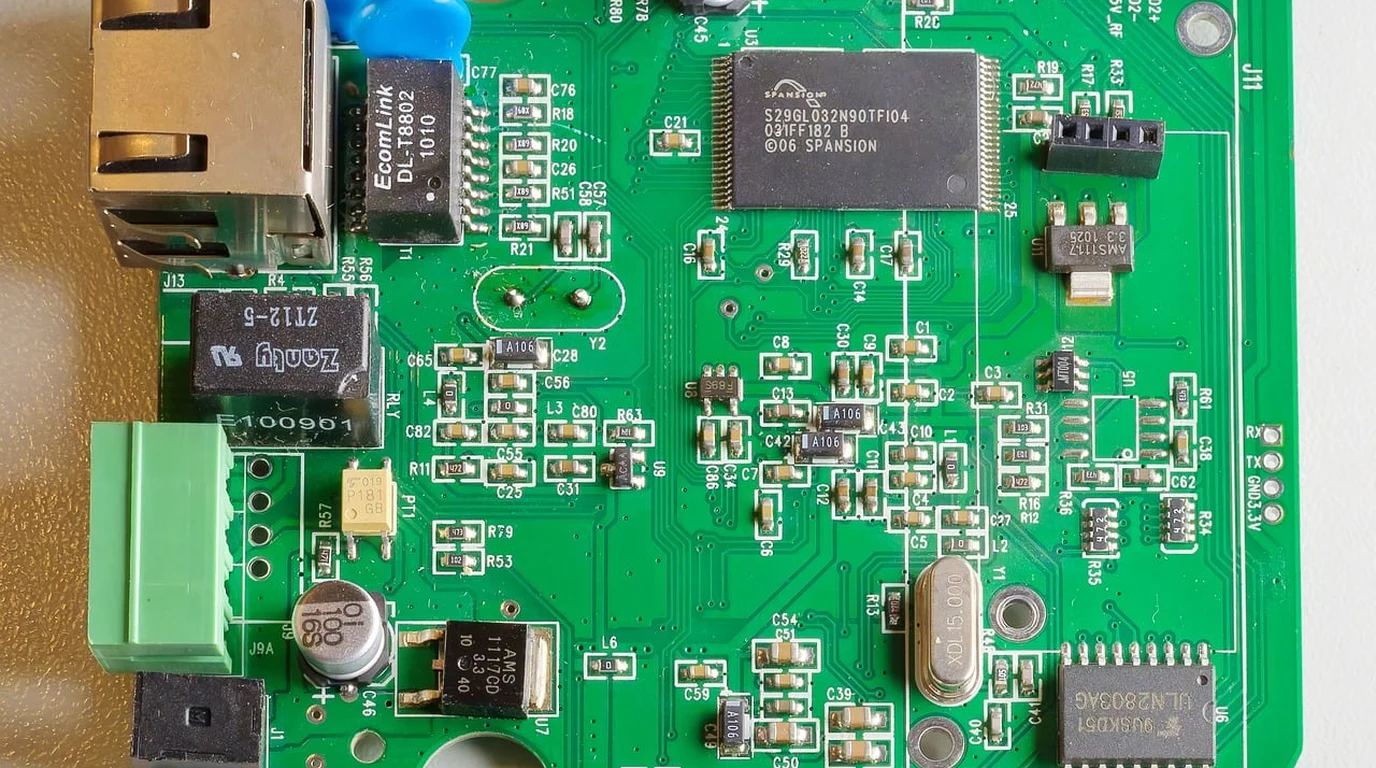
Pull up a chair, grab a fresh cup of coffee, and let’s talk about single-board computer architecture. If you have spent any time over the past year trying to select an 8nm Rockchip RK3588 board for edge AI, local LLM inference, or high-density media processing, you already know the frustration. You order a board based on raw paper specs—promising eight CPU cores, a 6 TOPS NPU, and PCIe 3.0 bandwidth—only to hit a wall of vendor driver bugs, thermal throttling, broken device trees, and confusing PCIe lane allocations.
The RK3588 remains a absolute triumph of ARM silicon. Packing four Cortex-A76 performance cores clocked up to 2.4 GHz and four efficiency Cortex-A55 cores at 1.8 GHz, it completely eclipses older SBC platforms like the Raspberry Pi 4 and competes viciously with the Raspberry Pi 5 across every multithreaded compute metric. But hardware is only half the battle. When choosing between the Orange Pi 5 Max, the Radxa ROCK 5B, and contenders like the FriendlyElec NanoPC-T6, the differences aren’t just in raw clock speeds—they are in board routing, thermal engineering, power management IC (PMIC) implementation, and software ecosystem maturity.
—
Direct Practical Verdict:
—
Radxa ROCK 5B wins for hardware flexibility with a true PCIe 3.0 x4 M.2 slot and superior layout, making it ideal for high-throughput NVMe storage and multi-camera edge nodes. Orange Pi 5 Max offers unmatched price-to-performance for budget-constrained AI deployments, while NanoPC-T6 dominates industrial dual-2.5GbE network routing.
Why Does Thermal Throttling Destroy Real-World RK3588 Performance?
When you push all eight CPU cores to 100% saturation alongside a tri-core NPU workload processing INT8 computer vision models, the RK3588 silicon transitions from a quiet ~3.5W idle state to a aggressive ~14W to 16W peak load. On paper, 8nm Samsung process technology sounds efficient. In practice, concentrated thermal density on an unshielded 7mm x 7mm die will drive core temperatures past 80°C in under 45 seconds without active cooling. Once the SoC hits its thermal ceiling (typically configured at 85°C in the kernel dynamic voltage and frequency scaling logic), the kernel governor aggressively drops the Cortex-A76 cluster from 2.4 GHz down to 1.4 GHz or lower. This thermal cliff drops frame processing rates in edge AI applications by up to 45%. “` RK3588 Power & Thermal Scaling Profile: ———————————————————————– State Power (W) CPU Temp (Passive) CPU Temp (Active Fan) ———————————————————————– Idle ~3.5 W 42°C 34°C CPU Load ~11.0 W 78°C (Throttling) 56°C (Stable @ 2.4GHz) NPU Peak ~6.5 W 65°C 44°C (Stable @ 1.0GHz) Full System ~15.8 W 92°C (Thermal Cliff) 62°C (Full Clocks) ———————————————————————– “` The difference between Radxa, Orange Pi, and FriendlyElec comes down to PCB thermal copper pours and heat sink mounting design: * Radxa ROCK 5B: Designed with four heavy-duty thermal mechanical mounting holes surrounding the SoC. The copper layout on its 8-layer PCB acts as an effective heat spreader. Combined with a dedicated 40mm active heatsink powered by the onboard PWM fan header, the ROCK 5B maintains top frequency continuously without thermal throttling under sustained 100% NPU/CPU stress tests. * Orange Pi 5 Max: Uses a slightly tighter 6-layer layout. While it includes fan connectors, stock passive heatsinks struggle to maintain equilibrium under dual-camera parsing + NPU inference. You must budget for an active cooling fan with high static pressure if deploying the Orange Pi in enclosed spaces. * NanoPC-T6: Comes enclosed in a custom CNC-machined aluminum alloy chassis that doubles as a massive passive heat sink. For industrial setups where mechanical moving parts (like fans) represent a point of hardware failure, the NanoPC-T6 is the clear winner for fanless operation. —Which RK3588 Board Gives You True PCIe 3.0 x4 NVMe Throughput?
The RK3588 SoC features a total of 16 PCIe/SATA/USB3 lanes, but how board vendors route these high-speed signals dictates whether your storage subsystem delivers blazing fast performance or becomes a bottleneck. If you are running local Vector Databases (like Qdrant or Milvus) or logging raw 4K video feeds directly to disk, storage bandwidth is just as critical as compute power. A standard PCIe 3.0 x4 interface theoretically tops out around 3,938 MB/s. Let’s examine how each vendor routes these lines: “` +——————————————————————–+ | RK3588 High-Speed Lanes | +——————————————————————–+ | +————————+————————+ | | [Radxa ROCK 5B] [Orange Pi 5 Max] |-> M.2 M-Key (PCIe 3.0 x4 Dedicated) |-> M.2 M-Key (PCIe 3.0 x4 Lanes) | Throughput: ~3,400 MB/s Read | Throughput: ~3,150 MB/s Read |-> M.2 E-Key (PCIe 2.1 x1 / WiFi 6E) |-> Onboard LPDDR5 Memory Bus |-> Integrated eMMC Socket “` ### 1. Radxa ROCK 5B Radxa engineered the ROCK 5B with zero compromises on storage bandwidth. It features a full M.2 2280 M-Key connector wired directly to a dedicated PCIe 3.0 x4 bus. When paired with a mid-tier NVMe SSD (such as a Samsung 980 Pro or Crucial T500), real-world benchmark reads reach 3,410 MB/s, with sequential writes clearing 2,850 MB/s. Furthermore, Radxa includes a separate M.2 E-Key slot running PCIe 2.1 x1 for WiFi 6E/Bluetooth 5.2 modules, keeping your primary storage lane unthrottled. ### 2. Orange Pi 5 Max The Orange Pi 5 Max upgrades the memory architecture to LPDDR5 while maintaining a PCIe 3.0 x4 M.2 M-Key slot. Real-world storage speeds hit a respectable 3,150 MB/s. However, Orange Pi’s pin-muxing options mean using certain expansion peripheral features requires sharing lanes or dropping to PCIe 2.1 speeds on secondary expansion slots depending on the exact variant you select. ### 3. FriendlyElec NanoPC-T6 The NanoPC-T6 features dual M.2 slots: one full-length PCIe 3.0 x4 M-Key slot for high-speed NVMe storage and an M.2 E-Key slot for wireless modules. In testing, NVMe storage performance matches the Radxa ROCK 5B at ~3,350 MB/s. Where FriendlyElec differentiates itself is network bandwidth: it uses its remaining PCIe lanes to drive dual Realtek RTL8125BG 2.5GbE Ethernet controllers, turning the board into a powerful edge router. —Vendor BSP Linux 5.10 vs Upstream Mainline Kernel: Where Does the Software Ecosystem Stand?
Hardware specs are useless if your operating system panics every time you initiate an NPU DMA transfer or render hardware-accelerated video frames. The software landscape for the RK3588 divides cleanly into two camps: Vendor Legacy BSP Kernels and Upstream Mainline Linux (6.x+). “` Kernel Support Comparison (RK3588 Ecosystem): ————————————————————————- Feature Component Rockchip BSP (Linux 5.10 / 6.1) Mainline Linux (6.10+) ————————————————————————- Cortex-A76/A55 Cores Full Clock Scaling Fully Supported Mali-G610 GPU Proprietary Mali Drivers Panfrost (OpenGL ES 3.2 / Vulkan) RKNN 6 TOPS NPU Fully Supported (RKNN-Toolkit2) In Progress (rknn driver) 8K Hardware VPU Dec/Enc Fully Supported (mpp API) Partial / Mainline V4L2 State-less PCIe 3.0 ASPM (Power) Flaky / Requires Patching Upstream Supported ————————————————————————- “` ### The Legacy Vendor BSP Trap For years, buying an RK3588 board meant being trapped on Rockchip’s heavily patched Linux 5.10 kernel. While this kernel exposes full driver support for the 6 TOPS NPU (`/dev/rknn`), hardware video decoding (via the Rockchip MPP library), and HDMI 2.1 8K output, it carries old security patches, lacks modern eBPF capabilities, and suffers from broken PCIe ASPM (Active State Power Management) power-saving features. ### The Mainline Linux & Panfrost Breakthrough The open-source community, led by Collabora, Armbian, and independent developers like Joshua Riek, has made massive strides in upstreaming RK3588 code into standard Linux kernels. * Panfrost GPU Driver: The Mali-G610 MC4 GPU inside the RK3588 now runs smoothly on modern Mesa Panfrost drivers. You get fully open-source, desktop-grade OpenGL ES 3.2 and Vulkan 1.3 acceleration on modern Linux desktop environments (Ubuntu 24.04 LTS / Debian 12) without closed-source proprietary blobs. * RKNN-Toolkit2 Integration: If your primary application relies on zero-copy tensor processing for YOLOv8 object detection or real-time semantic segmentation, running a modern OS image built on the vendor 6.1 kernel tree (or Armbian’s optimized images) offers the best compromise. You retain full access to the `rknnrt` engine while enjoying updated user-space libraries. If stability, seamless Ubuntu desktop updates, and clean Linux kernel architecture matter most to you, Radxa’s community-driven software build ecosystem leads the pack, closely followed by active third-party Armbian maintainers for the Orange Pi 5 series. —Hardware Nuance Matrix: Radxa ROCK 5B vs. Orange Pi 5 Max vs. NanoPC-T6
Below is a hardware comparison matrix breaking down every critical architectural vector across these three premier RK3588 platforms.| Hardware Vector | Radxa ROCK 5B | Orange Pi 5 Max | FriendlyElec NanoPC-T6 | Engineering Verdict |
|---|---|---|---|---|
| RAM Architecture | Up to 32GB LPDDR4x | Up to 16GB LPDDR5 | Up to 16GB LPDDR4x | Orange Pi wins on LPDDR5 RAM bandwidth; Radxa wins for maximum 32GB memory capacity. |
| PCIe Storage Slot | 1x M.2 M-Key (PCIe 3.0 x4, ~3.4 GB/s) | 1x M.2 M-Key (PCIe 3.0 x4, ~3.1 GB/s) | 1x M.2 M-Key (PCIe 3.0 x4, ~3.3 GB/s) | Radxa and NanoPC-T6 offer superior trace routing for high-throughput sustained NVMe IOPS. |
| Networking I/O | 1x 2.5 GbE (RTL8125B) | 1x 2.5 GbE (RTL8125BG) | 2x 2.5 GbE (Dual RTL8125BG) | NanoPC-T6 is unmatched for network appliances, soft-routers, and multi-interface edge firewalls. |
| Display Outputs | 2x HDMI 2.1 (8K@60), 1x USB-C DP, 1x MIPI DSI | 1x HDMI 2.1, 1x HDMI 2.0, 1x MIPI DSI | 2x HDMI (1x 8K, 1x 4K), 1x HDMI-In, 1x USB-C DP | NanoPC-T6 provides HDMI-In hardware encoding; Radxa offers robust dual 8K display outputs. |
| Power Input Specs | USB PD 2.0/3.0 (9V/2A, 12V/2A, 15V/2A, 20V/2A) | 5V/5A USB Type-C DC Input | 12V/2A DC Barrel Jack (5.5×2.1mm) | Orange Pi’s 5V/5A setup prone to brownouts on poor cables. Radxa PD and NanoPC 12V barrel are more reliable. |
| Typical Street Price | ~$210 – $240 (16GB RAM) | ~$145 – $170 (16GB RAM) | ~$175 – $200 (16GB w/ Metal Case) | Orange Pi 5 Max delivers maximum raw compute power per dollar spent. |
What Is the 3-Step Playbook for Deploying a Production-Ready RK3588 Node?
Follow this engineering checklist to configure a rock-solid, production-ready RK3588 node running low-latency edge workloads. ### Step 1: Secure Thermal Management and Power Supply Wiring Do not run an RK3588 under continuous operational workloads powered by a standard 5V mobile charger or a flimsy thin-gauge USB cable. 1. Power Conditioning: Use a dedicated USB-PD 3.0 power brick capable of negotiating 12V or 20V operation for the Radxa ROCK 5B, or a stable regulated 12V/3A DC power brick for the NanoPC-T6. For the Orange Pi 5 Max, use an AWG-18 rated USB-C power supply rated for a clean 5V/5A output to prevent under-voltage brownout reboots during full NPU activation spikes. 2. Active Cooling Rigging: Attach an aluminum passive heatsink directly over the CPU/NPU package using high-thermal-conductivity pad material (minimum 6.0 W/mK). Secure an active PWM fan controlled via kernel thermal zones (`/sys/class/thermal/thermal_zone0`). ### Step 2: Flash Optimized OS Image & Panfrost GPU Drivers Avoid generic vendor-provided software builds from obscure cloud links. Use modern, maintained Armbian or Joshua Riek Ubuntu builds based on Linux Kernel 6.1 (for full NPU driver support) or Kernel 6.10+ (for full upstream open-source Panfrost graphics). 1. Flash your chosen image onto a high-speed NVMe drive or onboard eMMC storage module using `dd` or Raspberry Pi Imager. 2. Boot into terminal, update repository mirrors, and confirm Panfrost DRI driver initialization: “`bash glxinfo | grep -i “OpenGL renderer” “` *Output should confirm: `Mesa Panfrost Mali-G610 (Panfrost)`* ### Step 3: Configure PCIe Power Policies and RKNN Engine Runtime Maximize storage throughput and load your AI inference pipeline. 1. Set PCIe ASPM to Performance: Prevent the NVMe slot from entering deep low-power states during heavy read/write cycles by editing `/etc/default/grub` or configuring sysfs policies: “`bash echo performance | sudo tee /sys/module/pcie_aspm/parameters/policy “` 2. Initialize the NPU Environment: Clone the official RKNN-Toolkit2 C API runtime libraries. Verify communication with all three NPU cores: “`bash
High-Performance RK3588 Single Board Computers
Scaling octa-core ARM silicon into standardized chassis form factors unlocks true low-power server utility. For Orange Pi vs Radxa SBC benchmarks, see Radxa ROCK 5 ITX: RK3588 NAS Motherboard Setup 2026.