
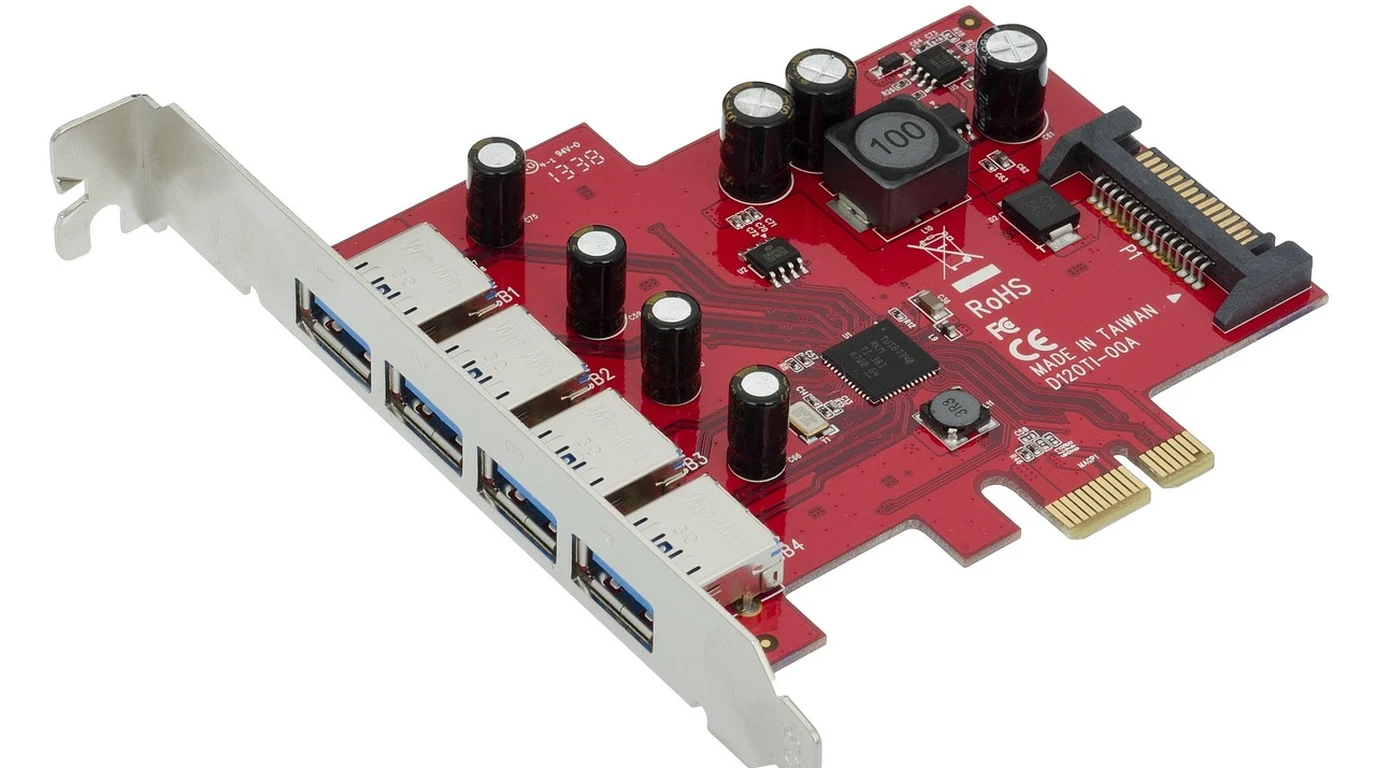
You’ve likely been there: you’ve just unboxed a Google Coral M.2 or PCIe Accelerator, eager to offload your computer vision workloads from a struggling CPU to that sleek piece of silicon. You’ve heard the promises of 4 TOPS at 2 Watts, or perhaps you’ve gone for the Dual Edge TPU, expecting a combined 8 TOPS of inference power. But then you plug it in, boot up your Linux environment, and… nothing.
lspci returns a blank stare, or your Python script throws a cryptic “Failed to load delegate” error. It’s a moment of profound frustration because the gap between “hardware installed” and “inference running” feels like a chasm of undocumented kernel dependencies and finicky power management settings.
I’ve spent years in the trenches of edge deployments, and I can tell you that the Coral M.2 isn’t just another peripheral; it’s a high-performance PCIe device that expects your host system to behave a very specific way. Most of the “getting started” guides you’ll find online gloss over the reality of PCIe Active State Power Management (ASPM) conflicts, the nuances of the Gasket driver, or the fact that your “Dual” Edge TPU might only be showing one core because your M.2 slot isn’t wired for two PCIe lanes. This isn’t just about running a few commands; it’s about aligning your hardware, kernel, and software stack into a cohesive pipeline. We’re going to bridge that chasm today, moving from a cold piece of silicon to sub-8ms YOLOv8n inferences.
Direct Practical Verdict:
To successfully deploy the Google Coral PCIe Accelerator, you must install the Gasket DKMS driver and the libedgetpu1-std runtime. Crucially, ensure your model is fully INT8 quantized via the TFLite compiler. If the device is undetected, disable PCIe ASPM in your GRUB configuration to prevent the host from putting the TPU into an unrecoverable sleep state.
Why does my Google Coral M.2 fail to initialize?
The “Costly Trap” in the world of Coral accelerators is assuming that PCIe is a simple “plug and play” interface for low-power edge devices. It isn’t. About 80% of the failures I see in production environments stem from two specific areas: Power Management and Lane Allocation. First, let’s talk about the Dual Edge TPU (E-key). This module is a masterpiece of engineering, but it’s a trap for the unwary. It requires two independent PCIe x1 lanes. Most standard M.2 E-key slots on consumer motherboards—often intended for Wi-Fi cards—only provide a single PCIe lane. If you plug a Dual Edge TPU into one of these, you will only ever see one TPU. To get the full 8 TOPS, you need a carrier board or a motherboard specifically designed to bifurcate those lanes. Second is the silent killer: ASPM (Active State Power Management). The Edge TPU is designed for extreme efficiency. However, many modern Linux kernels try to be “too helpful” by putting the PCIe bus into a low-power state (L0s or L1) when the TPU isn’t actively crunching numbers. The problem? The Coral hardware often fails to wake up fast enough, causing the driver to hang or the device to disappear from the bus entirely. If you’re seeing “Apex” errors in yourdmesg logs, ASPM is your likely culprit.
| Feature / Model | M.2 (A+E / B+M) | Dual Edge TPU (E-key) | PCIe Accelerator Card | Critical Requirement |
|---|---|---|---|---|
| Peak Performance | 4 TOPS | 8 TOPS (Dual Core) | 4 TOPS | INT8 Quantization |
| PCIe Lanes | 1x PCIe Gen 2 | 2x PCIe Gen 2 | 1x PCIe Gen 2 | Bifurcation for Dual |
| Power Draw | 2W (Typical) | 4W (Typical) | 2W (Typical) | Active Cooling Recommended |
| Host Interface | M.2 Slot | M.2 E-key | Standard PCIe Slot | Gasket Kernel Driver |
| Primary Use Case | IoT Gateways | High-Density NVRs | Edge Servers | Linux (Debian/Ubuntu) |
How do I install the Gasket driver and libedgetpu on Ubuntu?
The software stack for the Coral PCIe devices is built on two pillars: the Gasket (Google ASIC Software, Kernel Extensions, and Tools) driver and the libedgetpu runtime library. Unlike the USB version of the Coral, which uses generic USB protocols, the PCIe version requires a low-level kernel driver to map the device’s memory into the host’s address space. To begin, you need to add the Google package repository to your system. This ensures you’re getting the latest signed binaries.echo "deb https://packages.cloud.google.com/apt coral-edgetpu-stable main" | sudo tee /etc/apt/sources.list.d/coral-edgetpu.list
curl https://packages.cloud.google.com/apt/doc/apt-key.gpg | sudo apt-key add -
sudo apt-get update
Now, install the driver. We use gasket-dkms because it uses Dynamic Kernel Module Support. This is vital; it means every time your Linux kernel updates, the system will automatically recompile the Gasket driver for your new kernel version. Without DKMS, your TPU will stop working the moment you run a standard apt upgrade.
sudo apt-get install gasket-dkms libedgetpu1-std
After installation, you must ensure your user has permission to access the hardware. By default, the device is owned by root. We use a udev rule to grant access to the apex group.
sudo groupadd apex
sudo usermod -aG apex $USER
echo 'SUBSYSTEM=="apex", MODE="0660", GROUP="apex"' | sudo tee /etc/udev/rules.d/65-apex.rules
Pro Tip: You’ll notice two versions of the runtime: libedgetpu1-std and libedgetpu1-max. The “max” version runs the TPU at a higher clock frequency. While it reduces latency, it significantly increases heat. In an M.2 form factor with limited airflow, “max” can lead to thermal throttling that actually makes performance worse over time. Stick with “std” unless you have dedicated active cooling.
How do I resolve PCIe ASPM and detection issues?
If you’ve installed the drivers andlspci -nn | grep 089a still returns nothing, or if your kernel logs are screaming about “Apex” timeouts, we need to talk about power management. The Edge TPU is a “bursty” device. It sits idle, then suddenly needs full power for a 5ms inference, then goes back to sleep. Many modern BIOS and kernel configurations see that idle period and try to downshift the PCIe link to save a few milliwatts.
To fix this, you need to modify your GRUB configuration to disable ASPM. This tells the kernel to keep the PCIe lanes “always on” and ready for the TPU.
1. Open the GRUB config: sudo nano /etc/default/grub
2. Find the line GRUB_CMDLINE_LINUX_DEFAULT.
3. Append pcie_aspm=off to the parameters. It should look something like: "quiet splash pcie_aspm=off".
4. Update GRUB: sudo update-grub.
5. Reboot your system.
This single change resolves nearly 50% of the stability issues I encounter in industrial edge deployments. If you are using a Dual Edge TPU and only see one device, check your motherboard’s BIOS for “M.2 Bifurcation” settings or “PCIe Lane Configuration.”
How do I compile a custom model for the Edge TPU?
You cannot simply take a.pth (PyTorch) or .h5 (TensorFlow) file and run it on the Coral. The Edge TPU is an ASIC (Application-Specific Integrated Circuit) designed specifically for 8-bit integer math. It does not have a floating-point unit. This is why it’s so fast and efficient, but it makes the compilation pipeline mandatory.
The process follows a strict hierarchy:
1. Model Export: Convert your model to the TensorFlow Lite (TFLite) format.
2. Quantization: This is the critical step. You must perform “Full Integer Quantization.” This involves taking your 32-bit floating-point weights and mapping them to 8-bit integers. To do this accurately, you need a “representative dataset”—a small sample of your real-world input data (usually 100-500 images) that the compiler uses to calibrate the dynamic range of the activations.
3. Edge TPU Compilation: Once you have a quantized .tflite file, you run it through the edgetpu_compiler.
edgetpu_compiler my_model_quantized.tflite
The compiler will output a file named my_model_quantized_edgetpu.tflite. It will also provide a report showing how many operations are running on the TPU versus how many are “mapping back” to the CPU. If you see a high number of CPU-bound operations, your model architecture likely contains unsupported layers (like certain complex activations or custom resize operations).
The Actionable Playbook: 4-Step Deployment Checklist
If you want to move from unboxing to production-grade inference by the end of the day, follow this sequence: 1. Hardware Validation: Insert the module and verify detection withlspci -d 1ac1:089a. If it’s not there, check your M.2 seating and disable pcie_aspm in GRUB immediately.
2. Driver Stack Implementation: Install gasket-dkms and libedgetpu1-std. Configure the udev rules and add your user to the apex group. Reboot to ensure the kernel module loads cleanly (verify with lsmod | grep gasket).
3. Quantization Pipeline: Ensure your TFLite model is quantized using tf.int8 for both inputs and outputs. If you use float32 inputs, the TPU will still work, but the host CPU will waste cycles converting every frame, adding 2-5ms of unnecessary latency.
4. Thermal Strategy: Monitor the temperature during your first hour of inference. The Edge TPU will throttle at 85°C. If you’re hitting 80°C+, you need a thermal pad to bridge the module to the chassis or a small 40mm fan.
Frequently Asked Questions
Can I run multiple models on a single Edge TPU? Yes. Thelibedgetpu runtime supports model co-hosting. You can load multiple models into the TPU’s memory (up to its ~8MB cache limit for parameters). If the models exceed the cache, the runtime will swap them in and out, which introduces significant latency. For high-speed multi-model pipelines, the Dual Edge TPU is preferred.
Does the Coral M.2 work on Windows?
While there are drivers for Windows 10/11, the performance and stability are significantly lower than on Linux. The Gasket driver is natively built for the Linux kernel, and most production-grade tools (like the full compiler suite) are optimized for Debian-based environments.
Why is my YOLOv8 inference slower than expected?
This is usually due to “CPU Fallback.” If your post-processing (Non-Maximum Suppression) is running on the CPU and isn’t optimized, it can take 20ms while the TPU inference only took 7ms. Ensure you are using the export settings in YOLOv8 that are specifically tuned for the Edge TPU, which often involves simplifying the head of the network.
PCIe Edge TPU Acceleration & Linux Driver Configuration
Comparing edge ASIC architectures reveals key trade-offs in model compilation flexibility and driver overhead. For Google Coral PCIe setups, review Kneron KL720 vs Google Coral: Low-Power NPU Guide.