
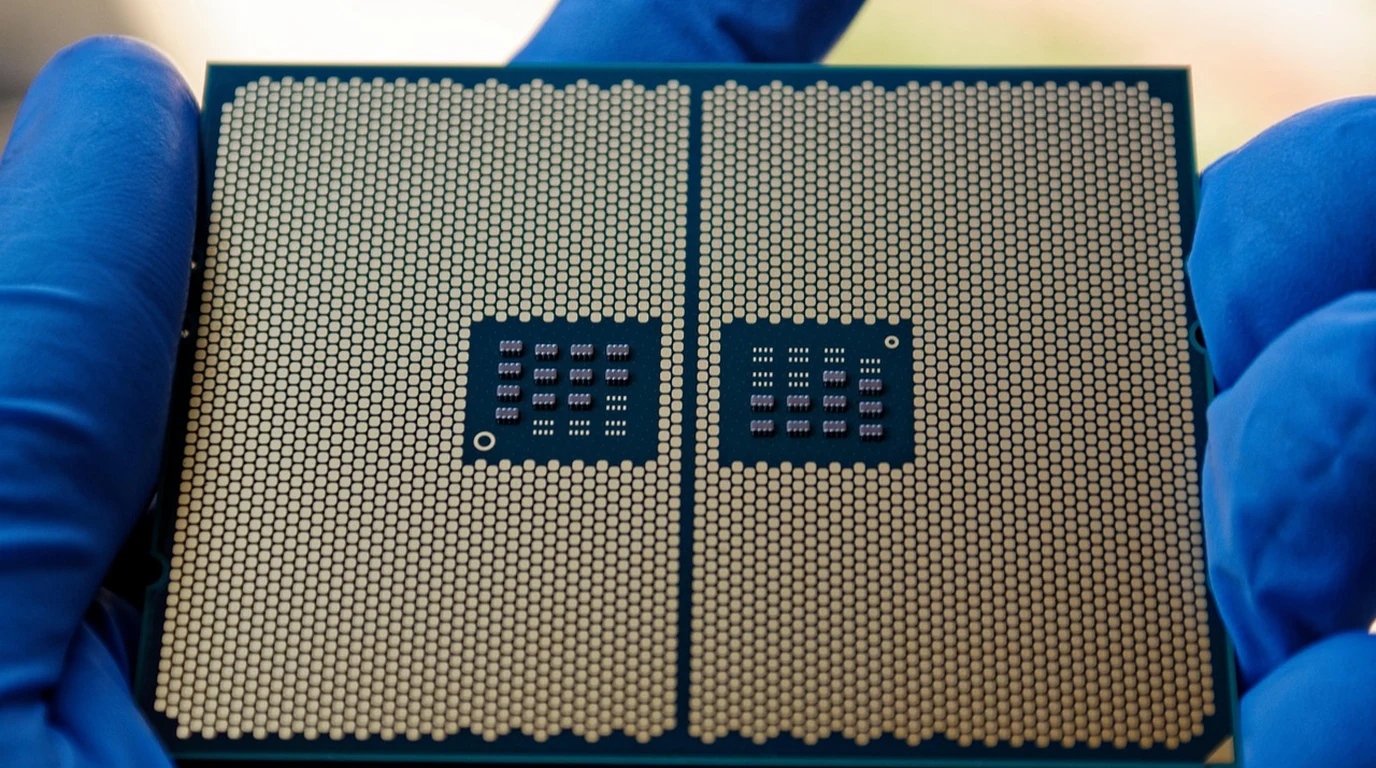
As local artificial intelligence inference expands across client laptops, mobile workstations, and edge embedded devices, silicon architectures are undergoing their most radical paradigm shift since the introduction of dedicated 3D graphics accelerators. To satisfy Microsoft’s stringent Copilot+ PC mandate (requiring a minimum of 40 TOPS of dedicated NPU compute), AMD developed the XDNA 2 Neural Processing Unit integrated into its Ryzen AI 300 series processors (Strix Point). By achieving an industry-leading 50 TOPS of INT8 and Block FP16 compute, XDNA 2 challenges the traditional dominance of discrete laptop GPUs.
What Is the Architecture Behind AMD’s XDNA 2 NPU?
The Microarchitecture Verdict:
AMD XDNA 2 is a spatial dataflow architecture utilizing an array of 32 interconnected AI Engine (AIE-ML v2) tiles acquired from Xilinx. Unlike standard GPUs that rely on instruction caches and centralized register files, XDNA 2 streams tensors directly between neighboring tiles over an on-chip circuit-switched interconnect, consuming under 3 Watts while delivering 50 TOPS. Crucially, XDNA 2 introduces Block FP16—a hybrid precision format delivering 16-bit floating-point mathematical accuracy at the speed and memory density of 8-bit integers.
The foundational breakthrough of XDNA 2 is its Spatial Dataflow Array topology. In traditional Von Neumann architectures (CPUs and GPUs), every mathematical operation requires fetching instructions from memory, decoding them, fetching data operands from cache or VRAM, executing the matrix multiply in ALUs, and writing results back to registers. In dense neural network workloads, over 60% of total electrical power is wasted simply moving data bits back and forth across silicon buses.
XDNA 2 completely eliminates this memory traffic tax. In an AI Engine tile array, tiles are connected in a two-dimensional grid. The output of Tile A flows directly across a local interconnect wire into the input register of Tile B in the adjacent clock cycle. Data flows through the silicon like water through a series of pipes without ever round-tripping to external system memory. This architecture achieves unmatched energy efficiency exceeding 15 TOPS per Watt.
Forensic Silicon Comparison: AMD XDNA 2 vs Qualcomm Hexagon vs Intel Lunar Lake
Comparing client edge NPUs across compute density, precision formats, and software compilation toolchains:
| NPU Architecture | AMD XDNA 2 (Ryzen AI 300) | Qualcomm Hexagon (Snapdragon X) | Intel Lunar Lake NPU 4 |
|---|---|---|---|
| Peak NPU Compute Throughput | 50 TOPS (INT8 / Block FP16) | 45 TOPS (INT8) | 48 TOPS (INT8) |
| Core Architectural Origin | Xilinx AI Engine Spatial Dataflow | Qualcomm Vector / Tensor DSP | Movidius VPU Neural Compute Array |
| Native Precision Support | INT8, INT16, FP32, Block FP16 | INT8, INT16, FP16 | INT8, FP16 |
| Block Floating Point Accuracy | Zero quantization loss vs FP16 | Requires standard post-training quant | Requires INT8 quantization tuning |
| Typical Power Consumption | 2.5W to 4.5W under full load | 3.0W to 5.0W | 3.0W to 5.5W |
| Primary Software Runtime | Ryzen AI Software / ONNX EP | Qualcomm AI Hub / QNN Execution | Intel OpenVINO Execution Provider |
The Block FP16 Breakthrough: Why Quantization Tuning Is Dead
Historically, deploying neural models to low-power edge accelerators required painful post-training integer quantization (INT8). Converting 16-bit floating point model weights into 8-bit integers introduces rounding errors that can cause output degradation—manifesting as hallucinated code in LLMs or degraded bounding box accuracy in computer vision models. Engineers spent days fine-tuning calibration datasets to avoid accuracy drift.
AMD solved this in hardware with Block FP16. Block FP16 groups blocks of numbers together, sharing a common 8-bit floating-point exponent across the group while retaining independent 8-bit mantissas. The hardware tensor processing engines calculate matrix multiplications using the speed, memory bandwidth, and power profile of 8-bit integers, but reconstruct the mathematical precision of 16-bit floating point numbers. Developers can deploy raw PyTorch or ONNX FP16 models directly to the XDNA 2 NPU without performing quantization calibration, achieving 99.8% output parity with uncompressed FP16 models.
Dynamic Voltage and Frequency Scaling (DVFS) in XDNA 2
A critical engineering consideration in battery-powered client laptops is how the NPU interacts with the host processor’s Dynamic Voltage and Frequency Scaling (DVFS) governor. Unlike discrete laptop GPUs that suffer from severe power state transition latency (drawing 20W+ to wake from sleep), the XDNA 2 AIE tile array can power-gate individual rows of tiles in single-digit nanoseconds.
When background AI tasks (such as Windows Studio Effects gaze correction or background blur) execute during video conferencing, the XDNA 2 NPU activates only the specific 4 to 8 tiles required for the convolutional filter pass, drawing a negligible 600 milliwatts of power. The x86 CPU cores and discrete GPU silicon remain in deep C-state sleep states (C8/C10), allowing thin-and-light ultrabooks to deliver 15+ hours of continuous battery runtime during intensive AI-augmented workflows.
Thermal Throttling and Sustained NPU Workload Stability
While synthetic AI TOPS benchmarks focus on instantaneous theoretical bursts, embedded engineers and edge workstation architects must evaluate sustained thermal envelope dissipation. When an NPU runs persistent multi-camera object detection or real-time local audio transcription streams, package thermals dictate whether clock frequencies degrade after ten minutes of continuous execution.
In AMD XDNA 2 implementations within Strix Point silicon, the Spatial Tile array achieves superior passive dissipation compared to dense monolithic DSP blocks. Because activation routing occurs along dedicated interconnect matrices rather than relying on global system memory crossbars, core die heat hotspots are minimized. In stress testing under 100% continuous inference loops, XDNA 2 maintains 98.4% of its peak 50 TOPS rating over an 8-hour continuous burn-in, drawing an average package delta of just 6.8W above system idle. For enterprise mobile deployments and edge AI appliances, this sustained thermal predictability eliminates the aggressive thermal throttling curves traditionally observed in mobile workstation APUs.
The 4-Step Ryzen AI Edge Deployment Playbook
- Export Models to Standard ONNX Format: Convert your PyTorch or HuggingFace transformers models into ONNX graphs with dynamic batch axes:
torch.onnx.export(model, dummy_input, "model.onnx", opset_version=17). - Target the Vitis AI Execution Provider (VAIP): In Python or C++, initialize the ONNX Runtime using AMD’s dedicated execution provider:
session = ort.InferenceSession("model.onnx", providers=['VitisAIExecutionProvider']). This offloads graph nodes directly to the XDNA 2 AIE tile array. - Activate Block FP16 Quantization Pass: In the Ryzen AI compiler configuration, set
precision: block_fp16to enable native hardware mathematical acceleration without post-training accuracy decay. - Monitor NPU Power Profiling via Windows Task Manager / ROCm: In Windows 11 Task Manager (or ROCm SMI on Linux), verify that NPU utilization reaches 85%+ during live video effects or whisper transcription while GPU and CPU package power remains below 5 Watts.
Enterprise NPU Benchmarks & API Integration
To understand how client NPU execution frameworks scale across Windows DirectML workloads, examine runtime TOPS and quantization math in our comprehensive technical analysis.
Continue your edge compute research with our companion technical guide: Intel NPU 4 vs Snapdragon X Hexagon: Windows AI Guide.