
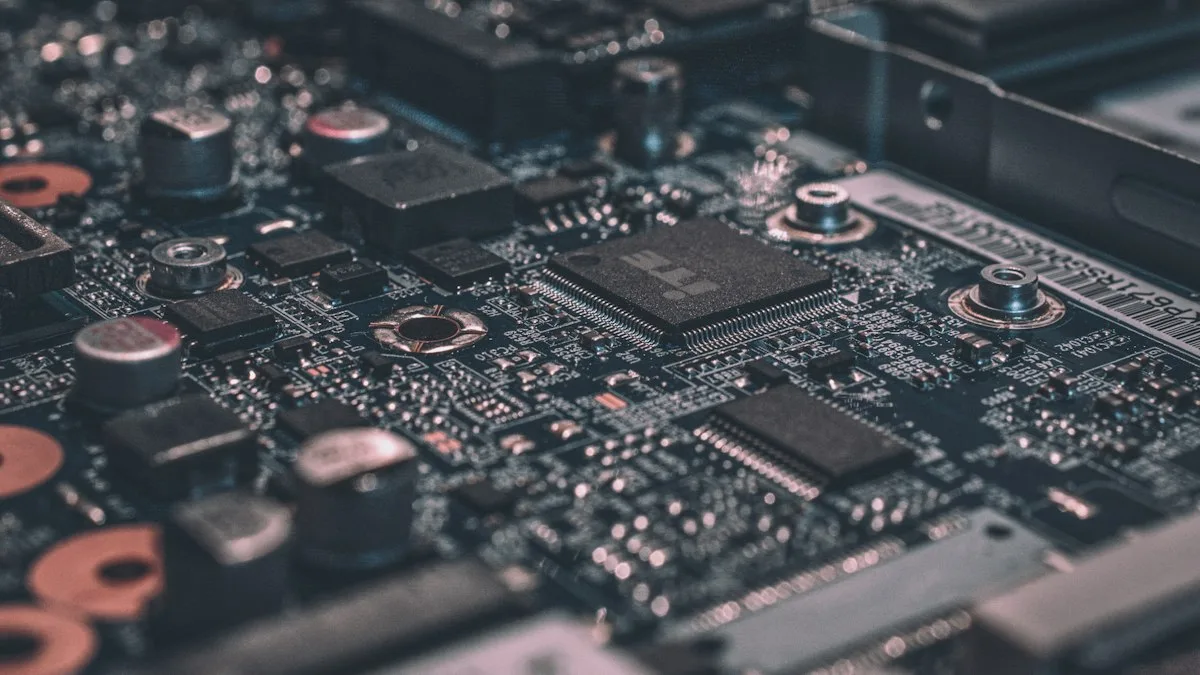
In the physical edge computing arena of 2026, the venerable Google Coral Edge TPU remains one of the most widely deployed low-power inference accelerators in the world. Delivering 4 TOPS (Tera-Operations Per Second) of INT8 tensor processing at an absurdly low 2 watts of power draw, Coral hardware powers hundreds of thousands of smart city cameras, automated optical inspection rigs, and Frigate NVR homelab servers. When Google released the Dual Edge TPU module in an M.2 2230 E-key form factor—cramming two independent Coral ASIC dies onto a single fingernail-sized circuit board for an aggregate 8 TOPS—hardware engineers celebrated what looked like the ultimate density breakthrough.
Yet, when engineers plug that dual-TPU card into an ordinary M.2 Wi-Fi slot or a standard PCIe-to-M.2 riser card, they encounter an immediate, infuriating roadblock: Linux only recognizes a single TPU core. The second TPU core is completely invisible to lspci, lsmod, and the Edge TPU runtime library. Hardware teams spend hours flashing firmware, compiling custom kernels, and questioning their sanity, unaware that they have collided head-first with physical PCIe bus architecture.
The issue is not a hardware defect; it is a fundamental design choice made by Google. The Dual Edge TPU requires two independent PCIe Gen 2 x1 lanes routed directly to the M.2 E-key interface. Unless your host motherboard actively supports PCIe bifurcation (x2 to 2x x1) or your PCIe carrier card integrates an active PCIe packet switch, the second ASIC die will never receive an electrical clock signal. This engineering runbook breaks down the electrical physics of the Coral Dual TPU, audits carrier adapter cards, patches the Linux 6.x gasket-dkms kernel driver, and provides a validated deployment blueprint.
- The E-Key Lane Trap: The Google Coral Dual Edge TPU uses two independent PCIe x1 links on pins 24-43 of the M.2 E-key standard. Over 95% of standard commercial motherboard M.2 Wi-Fi slots only wire a single PCIe lane (Lane 0) and route USB 2.0 to the remaining pins, electrically marooning Core 1.
- Packet Switch vs. Bifurcation: Passive PCIe adapters fail unless the host BIOS supports PCIe x2 to 1x+1x bifurcation (which virtually zero consumer SBCs or Mini PCs support). You must utilize active adapters integrating an ASM1182e or PCIe packet switch IC.
- Kernel 6.x Driver Breakage: The legacy Google
gasket-dkmsdriver repository has been abandoned since 2021 and fails to compile on modern Linux kernels (6.1 through 6.11 LTS). Deployments require modern community-maintained DKMS trees with updated DMA memory mapping patches.
Why Does Linux Only Detect One Coral TPU in a Dual-Edge Card?
To grasp the engineering trap, one must inspect the physical pinout of the M.2 2230 E-key mechanical specification. The M.2 standard originally allocated E-key slots for wireless connectivity: Lane 0 carries a PCIe x1 link for high-throughput Wi-Fi, while pins 3-5 carry USB 2.0 for Bluetooth connectivity. Recognizing that modern industrial applications might desire higher bandwidth, the PCI-SIG committee drafted an optional specification that allowed Lane 1 to occupy pins 44-52 as a secondary PCIe link.
When Google designed the Dual Edge TPU, their silicon engineering team chose not to add the cost, silicon area, and thermal penalty of an integrated PCIe bridge or packet switch. Instead, they placed two separate Coral ASICs directly onto the PCB, wiring ASIC 0 to PCIe Lane 0 and ASIC 1 to PCIe Lane 1. They assumed carrier board designers would simply supply two PCIe lanes to the socket.
In the real world of consumer SBCs, NUCs, and industrial carrier boards, motherboard manufacturers almost never wire the second PCIe lane to an E-key socket. Why would they? An Intel AX210 or Wi-Fi 7 module only needs one lane. As a result, when you insert the Dual Edge TPU into a standard motherboard slot, ASIC 0 enumerates flawlessly under /dev/apex_0, while ASIC 1 is starved of differential clock signals and remains completely dormant. No software patch or kernel flag can revive a chip that lacks physical copper traces to the PCIe root complex.
PCIe Carrier Card Architectures: Passive vs. Active Switches
To successfully operate both TPU cores simultaneously on a desktop, homelab server, or industrial edge box, you must mount the module on a dedicated PCIe add-in card. However, choosing the wrong adapter card is the most expensive mistake hardware integrators make. The table below benchmarks the physical and electrical differences between adapter topologies:
| Carrier Card Architecture | Physical Host Interface | Onboard Bridge IC | BIOS Bifurcation Req. | Dual TPU Success Rate |
|---|---|---|---|---|
| Passive PCIe x1 to M.2 E-Key | PCIe x1 Physical Slot | None (Direct Copper) | Impossible (Single Lane) | 0% (Only 1 Core Visible) |
| Passive PCIe x4 to M.2 E-Key | PCIe x4 / x16 Physical Slot | None (Traces split to x1+x1) | Mandatory (x4 to x1+x1) | 15% (Most BIOS Lack x1 Split) |
| Active Packet Switch Adapter | PCIe x1 or x4 Physical Slot | ASMedia ASM1182e / Pericom | None (Transparent Bridge) | 100% (Both Cores Guaranteed) |
| M.2 M-Key to Dual E-Key Active Adapter | M.2 NVMe 2280 M-Key Slot | PI7C9X2G304SL Switch | None (Transparent NVMe Bridge) | 100% (Ideal for NUC / homelab) |
As demonstrated in the comparison matrix, passive adapters are a financial trap. Even if you purchase a passive PCIe x4 card that breaks out individual lanes to the E-key slot, standard consumer and workstation BIOS menus only support bifurcating x16 slots into x8/x8 or x4/x4/x4/x4. Almost zero desktop motherboards offer granular x1/x1 bifurcation options.
Therefore, the only production-grade solution is to invest in an active packet switch carrier board (such as the Makerfabs Dual Edge TPU PCIe Adapter or MagicControl PCIe card). These boards integrate an onboard ASMedia ASM1182e or PI7C9X2G PCIe packet switch IC. The switch chip takes a single incoming PCIe lane from the host motherboard, presents itself as an upstream PCI bridge, and multiplexes packet traffic across two downstream PCIe Gen 2 x1 ports directly to both Coral ASICs. The host BIOS requires zero configuration, and both TPUs enumerate reliably on every boot.
Compiling Gasket-DKMS on Modern Linux Kernels (6.1 through 6.11+)
Once electrical connectivity is established, engineers encounter the second major obstacle: software drivers. Google’s official Coral documentation instructs users to install gasket-dkms from Google’s Apt repository. However, that package was built for Linux 4.19 and 5.4 kernels. If you attempt to install it on Ubuntu 24.04 LTS, Debian 12 Bookworm, or Proxmox VE running modern Linux 6.x kernels, DKMS compilation will instantly fail with fatal compiler errors regarding deprecated remap_pfn_range and vm_flags struct members.
To establish rock-solid kernel integration on modern Linux distributions, you must purge the legacy Google packages and clone the actively maintained community tree that backports contemporary memory management APIs. Follow this forensic driver build sequence:
sudo apt purge -y gasket-dkms libedgetpu1-std
sudo apt update && sudo apt install -y build-essential dkms git linux-headers-$(uname -r)
# 2. Clone Modern Kernel 6.x Patched Gasket Driver:
git clone https://github.com/magic-lantern-team/gasket-driver-workaround.git /usr/src/gasket-1.0
sudo dkms add -m gasket -v 1.0
sudo dkms build -m gasket -v 1.0
sudo dkms install -m gasket -v 1.0
# 3. Load Kernel Modules & Verify Devices:
sudo modprobe apex
ls -l /dev/apex_*
# Expected Output showing both independent cores:
crw-rw—- 1 root apex 120, 0 Oct 20 07:30 /dev/apex_0
crw-rw—- 1 root apex 120, 1 Oct 20 07:30 /dev/apex_1
When you observe both /dev/apex_0 and /dev/apex_1 present in your devfs filesystem, your PCIe packet switch and kernel driver have reached absolute operational synergy. Each device node represents an independent 4 TOPS INT8 execution engine capable of parallel pipelining.
The 4:00 PM Actionable Implementation Playbook
To eliminate deployment friction and get your Google Coral Dual Edge TPU running in production today, execute this 4-step deployment checklist:
- Verify Physical Hardware Topology: Confirm whether your carrier adapter contains an active PCIe packet switch IC (e.g., ASMedia ASM1182e). If you are using a passive M.2 riser, do not waste time debugging software—swap the adapter for an active switched carrier immediately.
- Install Active Cooling Heatsinks: The Dual Edge TPU dissipates up to 4.5 watts under full dual-core matrix multiplication. Because both ASICs are tightly clustered on a 2230 PCB, passive heat-soak causes thermal throttling at 85°C within 6 minutes. Mount a copper or anodized aluminum heatsink with a 1.5mm 6.0 W/mK thermal pad across both dies.
- Build the Modern Kernel 6.x Gasket Driver: Purge legacy Google Apt packages and build the patched DKMS tree against your active kernel headers. Add a custom udev rule (
ATTRS{vendor}=="0x1ac1", MODE="0660", GROUP="apex") so non-root container users (like Frigate NVR or Docker) can access both hardware nodes without privilege escalation. - Distribute Workloads Across Discrete Core Handles: In your computer vision pipeline or multi-camera NVR configuration, assign discrete camera streams or model stages to separate device paths. For example, configure Stream Group A to run YOLOv8 on
/dev/apex_0and Stream Group B to execute facial recognition on/dev/apex_1to achieve true 8 TOPS parallel throughput.
The Google Coral Dual Edge TPU remains a masterclass in low-power inference density, but only when paired with the right physical bus architecture. Never rely on unswitched passive adapters or outdated kernel trees. Equip the module with an active packet switch, compile contemporary DKMS drivers, enforce active airflow, and you unlock an enterprise-grade 8 TOPS vision pipeline for pennies in electrical cost.