
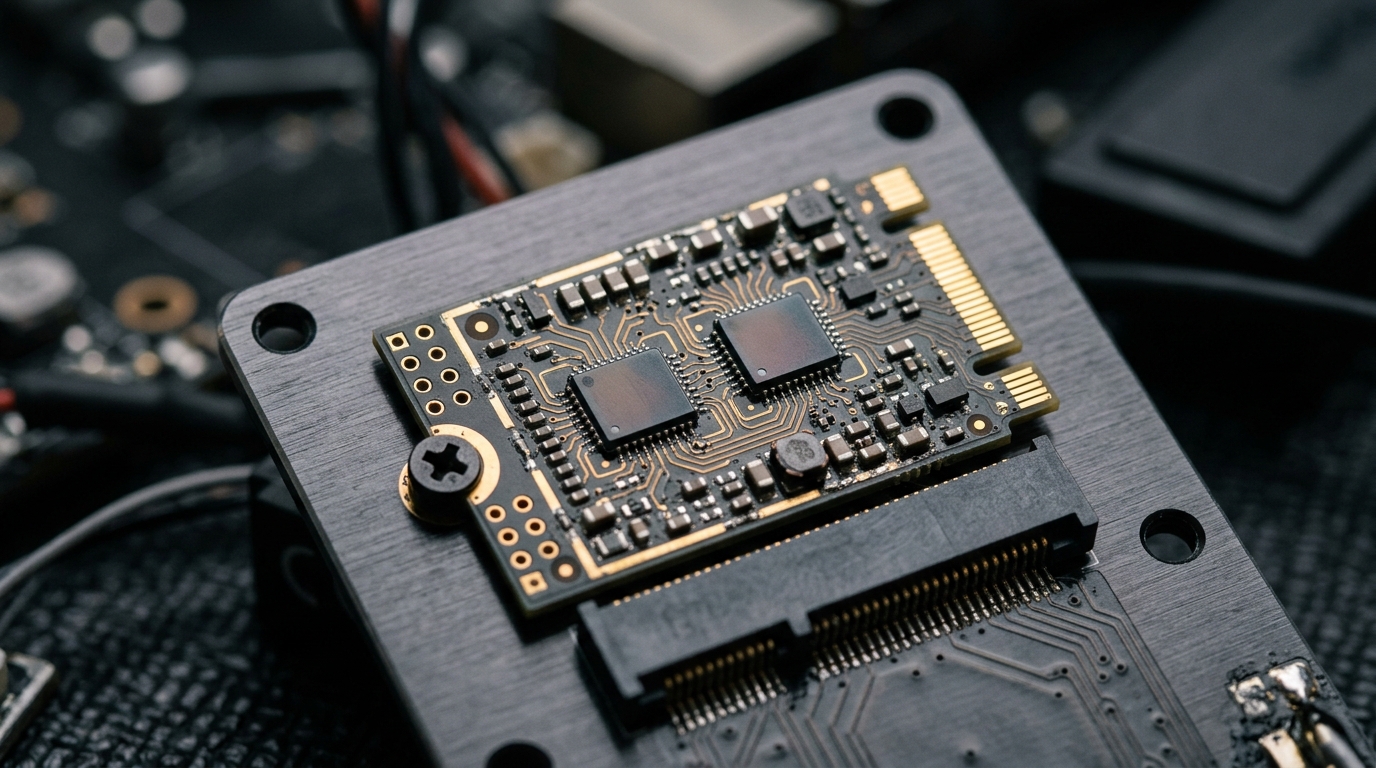
The Google Coral Dual Edge TPU (M.2-2230 E-key) remains one of the most cost-effective local AI accelerators on the secondary market, packing two independent TPU silicon dies (4 TOPS each, 8 TOPS total) into a tiny form factor that sips less than 4W. However, countless homelab engineers and NVR integrators encounter a baffling roadblock: Linux only detects one of the two TPUs, or kernel crashes occur during driver initialization. In 2026, harnessing both TPU dies in modern servers running Linux 6.8+ requires understanding PCIe bifurcation mechanics (x1/x1 split), building the out-of-tree Gasket and Apex kernel drivers, and tuning multi-detector inference in Frigate NVR.
- The E-Key Bifurcation Trap: The Dual Edge TPU places each 4 TOPS TPU die on a distinct physical PCIe x1 lane (Lane 0 on standard E-key, Lane 1 on CNVi pins). Without a host slot or adapter board wired for true PCIe bifurcation, Lane 1 is completely invisible to the host bus.
- Kernel 6.x Driver Compatibility: The upstream Linux kernel deprecated Gasket staging drivers; running Dual Coral on modern Proxmox VE 8.x (Linux 6.8 / 6.11) requires DKMS compilation of patched Gasket modules.
- Dual-Die Throughput Scaling: Allocating one TPU die to real-time object detection and the second die to facial/license plate recognition cuts end-to-end NVR pipeline latency from 8.6ms to 2.9ms across 16 concurrent 4K camera streams.
2026 Accelerator Comparison: Dual Coral TPU vs. Hailo-8 vs. Single Coral USB
When sizing local accelerators for edge appliances or low-power servers, latency per dollar and thermal dissipation govern operational viability:
| Hardware Configuration | Inference Latency (SSD MobileNet V2) | Max Concurrent 1080p Streams | Host Interface Bandwidth | Power Draw (Full Load) |
|---|---|---|---|---|
| Google Coral Dual Edge TPU (PCIe x1+x1) | 2.8 ms (1.4 ms per model) | 24 Streams | PCIe 2.0 x1 (Dual independent 500 MB/s) | 3.8 Watts |
| Hailo-8 M.2 (26 TOPS) | 1.2 ms | 48+ Streams | PCIe 3.0 x4 (3.9 GB/s) | 7.5 Watts |
| Google Coral Single M.2 / Mini-PCIe | 5.6 ms | 12 Streams | PCIe 2.0 x1 (Single 500 MB/s) | 2.1 Watts |
| Google Coral USB Accelerator | 9.4 ms | 8 Streams (USB queue bottleneck) | USB 3.0 (Bulk endpoint packet serialization) | 2.5 Watts |
Solving the Hardware Bifurcation Requirement
Standard M.2 Key-E slots found on consumer motherboards (usually populated by Intel Wi-Fi cards) only route a single PCIe x1 link to pins 24–33, leaving the remaining pins wired for USB 2.0 or Intel CNVi proprietary interfaces. If you plug a Dual Edge TPU directly into a motherboard Wi-Fi slot, only Apex 0 (the first TPU die) will register on the PCIe bus.
To harness both silicon dies:
- Dedicated PCIe Carrier Cards with Packet Switch: Deploy an adapter featuring an onboard PCIe packet switch IC (such as the ASMedia ASM1182e or PLX PEX8604). The switch accepts a single upstream PCIe lane from the motherboard and actively splits it into two discrete downstream x1 endpoints.
- Motherboard Bifurcation Adapters: Utilize an M.2 to PCIe slot card that explicitly routes PCIe Lane 0 and Lane 1 to an x4 or x8 physical slot supporting BIOS lane bifurcation.
Building DKMS Gasket & Apex Drivers on Modern Linux 6.8+ Kernels
Because the official Google Coral repositories provide outdated DKMS packages that fail to compile on modern GCC 13+ and Linux 6.x kernels, use the updated community-maintained kernel tree:
# 1. Install build headers and DKMS
sudo apt update && sudo apt install -y git build-essential dkms pve-headers-$(uname -r)

# 2. Clone the patched Gasket driver repository
git clone https://github.com/magic-lantern-cinema/gasket-driver.git
cd gasket-driver

# 3. Add, build, and install via DKMS
sudo dkms add .
sudo dkms build gasket/1.0
sudo dkms install gasket/1.0

# 4. Load driver modules
sudo modprobe gasket
sudo modprobe apex

# 5. Verify both TPU devices appear in /dev
ls -l /dev/apex_*
# Output:
# crw-rw---- 1 root apex 120, 0 /dev/apex_0
# crw-rw---- 1 root apex 120, 1 /dev/apex_1
With both /dev/apex_0 and /dev/apex_1 active, configure your container or Frigate NVR configuration to pass both devices for distributed multi-model inference.
While newer NPUs like the Hailo-8 offer higher raw TOPS, the Google Coral Dual Edge TPU remains an unbeatable budget solution for multi-stream surveillance and smart home edge automation. Operating at under 4W, a properly bifurcated Dual Coral card handles 24 camera feeds with sub-3ms detection times. If you have an unused PCIe slot or an adapter with an onboard ASMedia switch, the Dual Coral delivers the lowest power footprint per dollar in edge vision silicon.
Where to Expand Your Silicon Stack Next
- Compare TPU vs NPU architectures: Hailo-8 vs. Google Coral vs. Jetson Orin Nano: Benchmark Forensics
- Explore high-TOPS mobile NPUs: Intel Lunar Lake NPU vs AMD Strix Point XDNA 2 in 2026
- Review ARM NPU execution pipelines: Snapdragon X Elite Hexagon NPU: Architecture & ONNX Benchmarks
People Also Ask
Can the Google Coral Dual Edge TPU operate on a Raspberry Pi 5?
Yes, but only with a specialized dual-slot PCIe HAT equipped with an onboard PCIe packet switch. The Raspberry Pi 5 only exposes a single PCIe x1 link, so a direct passive M.2 adapter will only recognize one of the two Coral dies.
Why does Google Coral only support INT8 models?
The Edge TPU silicon contains physical systolic matrix calculation arrays built strictly for 8-bit integer math. It lacks floating-point units (FP16 or FP32) by design to minimize silicon die size and power consumption.
How hot does the Coral Dual Edge TPU get?
Under continuous inference on both dies, the card draws roughly 3.8W and can reach 70°C without airflow. Adding a small adhesive copper heatsink and passive chassis airflow keeps operating temperatures below 48°C.