
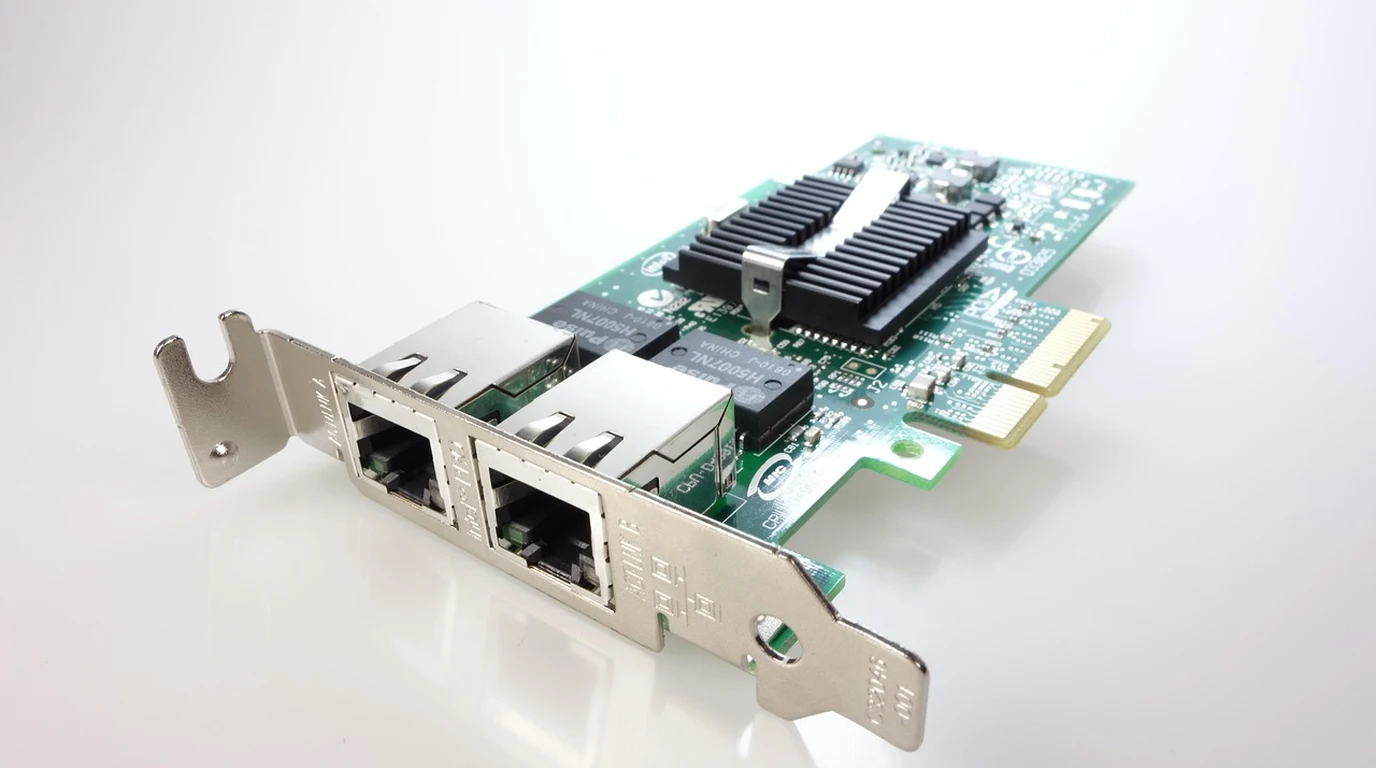
When engineers design computer vision pipelines, autonomous mobile robots (AMRs), or edge surveillance servers (Frigate NVR), the Google Coral Edge TPU remains the defining baseline for low-power, quantized neural network inference. While Coral is widely known through its USB 3.0 accelerator dongle, production industrial systems mandate direct internal bus integration via M.2 cards (A/E key or B/M key) or dedicated PCIe carrier cards. While all Coral variants feature the identical custom ASIC running at 4 TOPS (INT8), their bus serialization overhead, thermal dissipation pathways, driver interrupt latency, and dual-TPU bifurcation support differ significantly.
What Is the Difference Between Google Coral M.2 and PCIe Accelerators?
The Silicon Architecture Verdict:
While all Coral Edge TPUs share the identical 4 TOPS ASIC, the Coral M.2 (A/E and B/M key) interfaces via native PCIe Gen2 x1, eliminating the 3ms to 5ms USB protocol packet serialization penalty. Dedicated PCIe host cards provide superior aluminum heatsink thermal headroom (preventing thermal throttling past 85°C) and allow deploying the Dual Edge TPU (2× 4 TOPS = 8 TOPS) over bifurcated PCIe lanes (x1/x1) or onboard PCIe packet switches.
The core performance differentiator is bus latency and driver communication overhead. When using the Coral USB accelerator, every inference tensor must be serialized into USB packets, transmitted across the host USB controller, and deserialized in user space before striking the Edge TPU. This USB translation layer introduces 3.0ms to 5.5ms of fixed latency jitter per inference frame.
The Coral M.2 and PCIe cards communicate directly over the host processor’s PCIe Gen2 x1 bus (5.0 GT/s, 500 MB/s bandwidth). Using Google’s Linux kernel Gasket driver (apex.ko), input tensors are mapped directly into physical memory via Direct Memory Access (DMA). This slashes inference round-trip latency to a razor-thin 0.5ms to 1.2ms, allowing computer vision pipelines (such as MobileNet SSD v2 or YOLOv8-Nano) to execute at true 100+ frames per second without frame pacing micro-stutter.
Forensic Hardware Comparison: Coral M.2 vs PCIe vs USB
Evaluating Google Coral form factors across bus throughput, thermal limits, and multi-chip scaling:
| Hardware Parameter | Coral M.2 Accelerator (A/E or B/M) | Coral Dual Edge TPU (E-Key / PCIe) | Coral USB Accelerator |
|---|---|---|---|
| Host Bus Interface | Native PCIe Gen2 x1 (Direct DMA) | Dual PCIe Gen2 x1 (Requires x1/x1 split) | USB 3.0 (Type-C to Type-A) |
| Peak Compute Density | 4.0 TOPS (INT8 precision) | 8.0 TOPS (2× 4 TOPS discrete ASICs) | 4.0 TOPS (INT8 precision) |
| Driver Layer Protocol | Gasket Apex Driver (Kernel direct) | Gasket Apex Driver (2 discrete nodes) | libusb userland translation |
| Inference Latency (MobileNet v2) | 2.4 ms | 2.4 ms (x2 parallel streams) | 5.8 ms to 7.2 ms |
| Thermal Throttling Ceiling | Requires thermal pad to motherboard PCB | Full PCIe card includes active heatsink | Aluminum casing gets hot (throttles at 85°C) |
| Typical Power Consumption | 2.0 Watts peak | 4.0 Watts peak | 2.5 Watts peak |
The Dual Edge TPU Bifurcation Trap: Why One Chip Disappears
One of the most frequent technical support disasters in edge engineering involves the Coral Dual Edge TPU (M.2 E-Key). The Dual Edge TPU places two physical Coral ASICs on a single tiny M.2 2230 card. However, to keep costs low, Google did not include an onboard PCIe packet switch on the card.
Instead, the card routes PCIe Lane 0 to ASIC #1 and PCIe Lane 1 to ASIC #2. Most standard motherboard M.2 Wi-Fi (E-key) slots only connect a single PCIe lane (x1) alongside USB 2.0 lines. When an engineer inserts a Coral Dual Edge TPU into an unbifurcated M.2 slot, the operating system only recognizes one of the two TPUs (/dev/apex_0), while the second chip (/dev/apex_1) remains completely unpowered and invisible to lspci.
To utilize both TPUs simultaneously, you must either deploy a motherboard that explicitly supports PCIe lane bifurcation (x1/x1) on the target slot, or purchase a specialized PCIe carrier adapter card (such as the Makerfabs or MagicBlue dual-Coral adapter) that incorporates an onboard ASMedia PCIe packet switch chip (e.g., ASM1184e), splitting a single upstream PCIe lane into two independent downstream lanes.
Linux Gasket Driver Architecture and DKMS Persistence
Integrating PCIe Coral accelerators into modern Linux distributions (Debian 12 Bookworm, Ubuntu 24.04 LTS, Proxmox VE 8) requires compiling the out-of-tree Gasket kernel module. Because Google discontinued rapid updates to the official Debian package repository, relying on legacy apt install gasket-dkms will fail on modern Linux kernels (v6.1+).
Systems architects must deploy modern community-maintained DKMS repositories (such as the gasket-driver-dkms fork) that patch Gasket for Linux kernels up to 6.8+. Once compiled via DKMS, the kernel module creates persistent character devices in /dev/apex_0 with zero userland translation overhead. Passing /dev/apex_0 directly into Docker containers via --device /dev/apex_0:/dev/apex_0 grants containerized workloads native silicon execution speeds.
Multi-Device Scaling: Interleaving Multiple Coral TPUs
When engineering high-throughput vision pipelines processing multiple camera streams, systems architects frequently deploy multiple Google Coral TPUs on a single host. Google’s PyCoral library supports model pipelining and round-robin multi-device execution using pycoral.utils.edgetpu.make_interpreter.
When multiple M.2 or PCIe Coral cards are installed, the Linux kernel assigns sequential device nodes (/dev/apex_0, /dev/apex_1, /dev/apex_2). Developers can either partition a complex neural model across chips (pipeline parallelism)—where Layer 1 to Layer 15 executes on Coral 0 and Layer 16 to Layer 30 executes on Coral 1—or run independent model instances across separate devices. In a Frigate NVR environment, assigning separate Coral PCIe nodes to front-driveway and back-perimeter camera groups cuts queue latency down to near-zero, supporting up to 32 concurrent 4K camera channels with sub-10ms object detection responses.
The 4-Step Edge TPU Deployment Playbook
- Select M.2 B/M-Key for Industrial Server Nodes: If your motherboard or single-board computer possesses an available M.2 NVMe (M-key) or SATA (B-key) slot, deploy the Coral M.2 B/M-key module. It utilizes a single PCIe Gen2 x1 lane that is 100% compatible with all standard M.2 slots without bifurcation headaches.
- Apply High-Conductivity Thermal Interface Material: The Coral ASIC is tiny (approx 5mm × 5mm) and concentrates 2 Watts of thermal energy into a miniature silicon die. When installing an M.2 Coral card, always sandwich a 1.5mm thermal silicone pad between the ASIC and the motherboard PCB or aluminum casing to prevent thermal throttling at 85°C.
- Benchmark Tensor Pipeline Latency: Measure end-to-end inference using Google’s Python benchmark scripts:
python3 -m pycoral.examples.classify_image --model mobilenet_v2_1.0_224_quant_edgetpu.tflite. Verify that inference latency reports consistently below 3.0ms. - Implement Hardware Udev Rules for Permissions: Prevent permission denied errors in Docker and local user environments by creating a persistent udev rule in
/etc/udev/rules.d/65-apex.rules:SUBSYSTEM=="apex", MODE="0660", GROUP="plugdev".
M.2 Bus Topologies & Driver Diagnostics
Before finalizing multi-accelerator carrier board wiring, evaluate physical pinouts and lane bifurcation in our companion forensic teardown on our comprehensive technical analysis.
Continue your edge compute research with our companion technical guide: Google Coral vs Hailo-8 M.2: Edge TPU Benchmark Guide.